



Eolas is my “build-it-myself” personal voice assistant. I’ve wanted to build something like this since college, when I hacked together a voice assistant for my final project. Back then the AI wasn’t there, my budget definitely wasn’t there, and it never felt like a finished product. Almost 10 years later I finally have the tools – a 3D printer, microcontrollers, Raspberry Pis – and enough budget to treat it seriously. More importantly, I wanted to test myself. I’m confident with code and logic, decent at soldering and programming microcontrollers like the ESP32, and I’m comfortable teaching myself anything else as long as I have a goal. Eolas became that goal.
The name comes from the Irish word “eolas” (pronounced “Oh-las”) which means knowledge or information. I chose it because that’s exactly what I want Eolas to feel like: a technological device full of knowledge, ready to search and give information. The logo draws from Celtic knotwork – specifically the Dara Knot (rooted strength and resilience) and the Eternity Knot (continuity and interconnectedness) – to symbolize an assistant grounded in enduring wisdom that’s always learning, flowing, and connected.

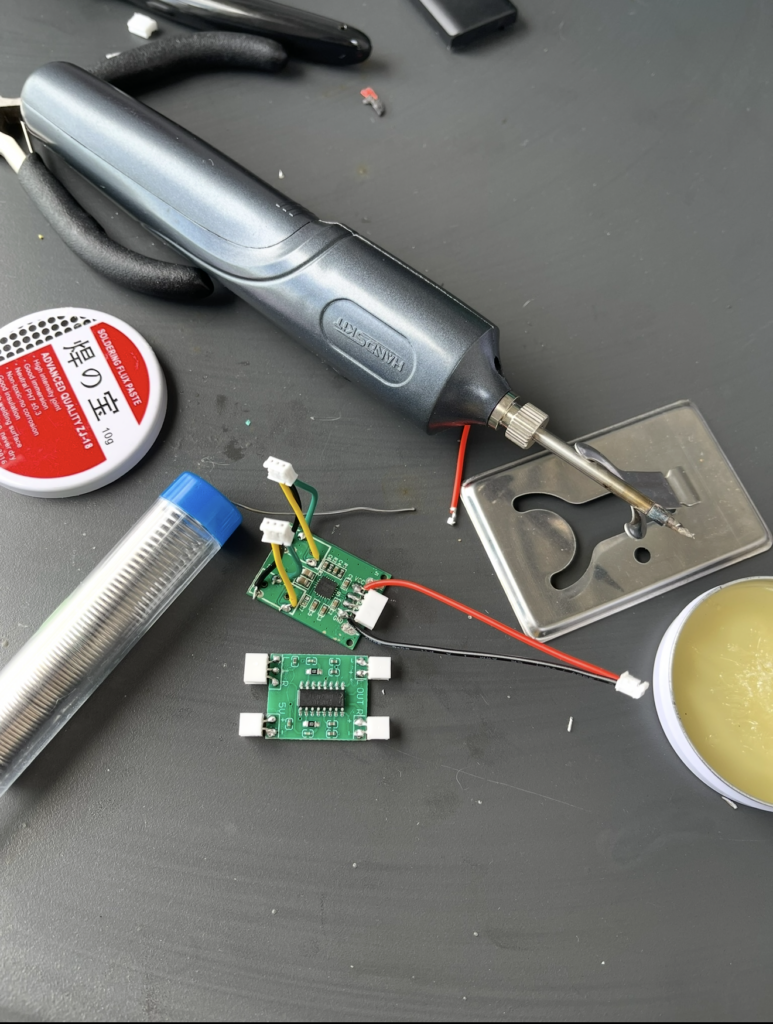
First, I grabbed a Raspberry Pi, a sound HAT with two mics and two speakers, and a shameful amount of wires. I wrote a simple Python layer using a few libraries, an offline TTS, and an OpenAI LLM via their Python API. It was all one layer, all in one process. The first time it spoke: “testing testing can you hear me?” – I felt that jolt of “oh, I can actually do this.”
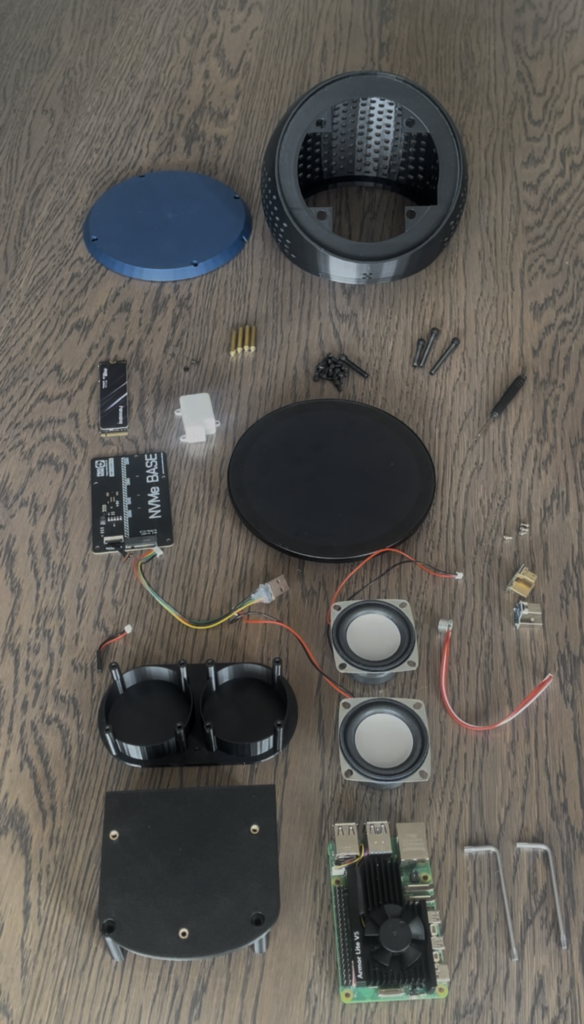
The body went through a few lives. The first was a rectangular “development kit” shell so I wasn’t just holding a Pi with loose cables. Magnets made it easy to pop open and access everything, it had two speakers and an action button. It was basic but practical.
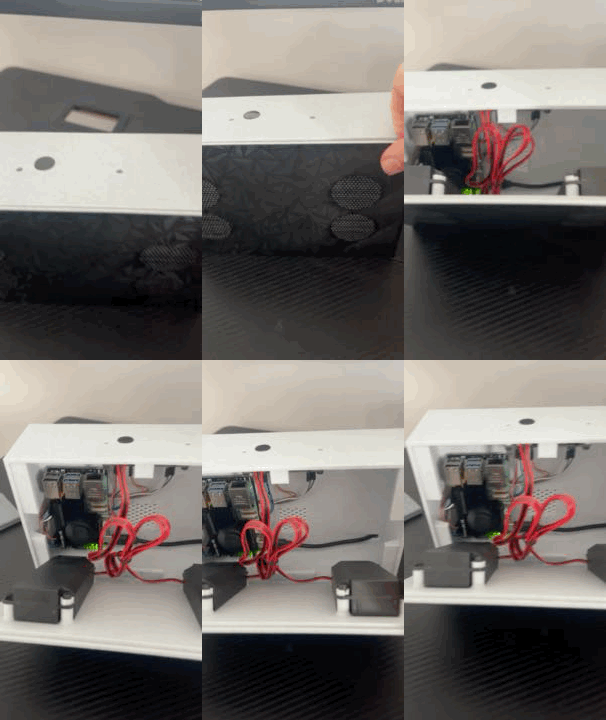
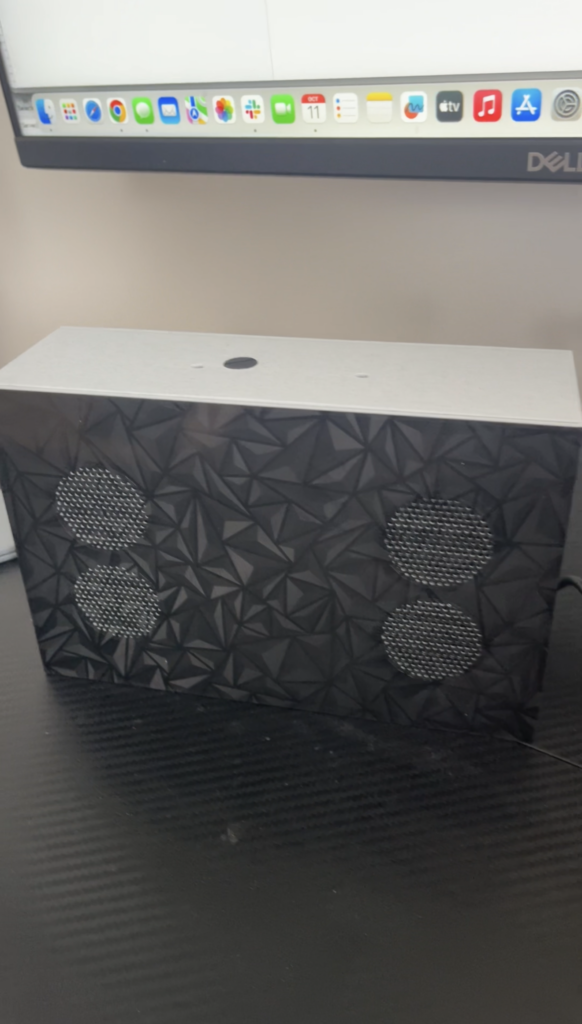
After that, I designed a more boxy version with two vertical light stripes on the front. The device had an inner case that housed all the components and LEDs, with an outer case that could be easily swapped out for different colours and designs. For the second case, I printed those stripes in transparent filament (it glows in the dark!) while the rest of the body was gray silk filament. The LEDs inside the inner case illuminated the transparent stripes, and suddenly Eolas could “visually communicate” – listen, speak, think – through light animations. This version made me more confident about moving forward with the design. I was getting more comfortable with 3D modeling, but two things still bugged me: the software was still just a quick prototype with 2-3 files thrown together and I was still missing the circular screen I’d always imagined.


The software development hit a wall pretty quickly. I wanted to add more functions to Eolas – maybe control some smart lights, pull in weather data, or connect to other devices – but everything was tangled together in one big Python script. Adding anything new meant digging through hundreds of lines, figuring out where to wedge in the new code, and hoping I didn’t break something else. It was frustrating because I just wanted to prototype ideas quickly, but the monolithic structure was fighting me every step of the way.
I paused and rewrote the software. Now the backend is a Python service that exposes a WebSocket, and I organize features as “services.” It’s way easier to add new capabilities like controlling external devices without tangling everything together. The services are:
– speech-to-text: Transcribe audio to text
– text-to-speech: Convert text into spoken audio
– text-AI-text: Send text to AI and get text response
– text-AI-speech: Send text to AI and get spoken response
– speech-AI-text: Send speech to AI and get text response
– speech-AI-speech: Full voice conversation with AI
– app: App management including installation, data handling, and app lifecycle
– file-system: File operations, directory management, and storage abstraction
– rapid-api: External API integration for web searches and data retrieval
The AI system is designed so I can slot in different LLMs or APIs. I also wired in RapidAPI integration so adding a new API is just a service config away rather than a full rewrite.
Beyond switching between different cloud LLMs, Eolas can run its own LLM completely offline directly on the Raspberry Pi 5. The local model is more limited due to hardware constraints, but it means Eolas stays functional even without internet. There’s also the option to connect to an LLM running on another device in the same network – like a more powerful model on a PC – so you get better performance while keeping everything private and offline within your local setup.
Under the hood there’s PostgreSQL for persistent data, custom SSL certificate management for secure connections, and a modular audio pipeline that handles everything from hotword detection through VAD, ASR, response generation, and TTS. Common tools – volume control, debug modes, memory search – are exposed as callable functions the AI can invoke when it needs them. The more I use it, the better it gets: it learns patterns and builds conversational context over time instead of starting from zero every session.
The screen was my little leap of faith. I always pictured Eolas with a round face because it feels friendlier and more approachable. Once I had a solid prototype, I justified the spend and went with a 5-inch circular touch display on a Raspberry Pi 5. A small adapter keeps it clean so there aren’t cables hanging around. The software side runs a Chromium kiosk that loads a React app and talks to the Python backend over WebSocket. I originally wanted a tiny windowed OS, but on a circular display it’s too easy to fling a window off the edge and “lose” it. So I made the call: full‑screen apps only.
Designing the new body was its own adventure. I’m still new to 3D modelling – I’d designed a few smaller prints before, but nothing at this scale – so every part was a lesson in measurements and tolerances. I built the entire shell in Tinkercad: the faceplate with the circular screen opening and matching standoffs/screw holes so everything lined up; the small microphone capsule just beneath the screen; and the speaker perforations that double as airflow vents to keep the device cool. I expected a parade of failed prints, but most runs came out surprisingly clean – only a few quick iterations were needed to dial in fit and alignment. Once the shell was printed in neon‑green silk PLA, I wrapped it in neon‑green speaker mesh. That turned into one of the hardest parts: figuring out how to pattern and cut mesh to a curved surface and then hand‑sew it so seams practically disappear. It took many tries (and me learning to sew from zero), but the result is tight, breathable, and consistent with the acoustics I wanted.

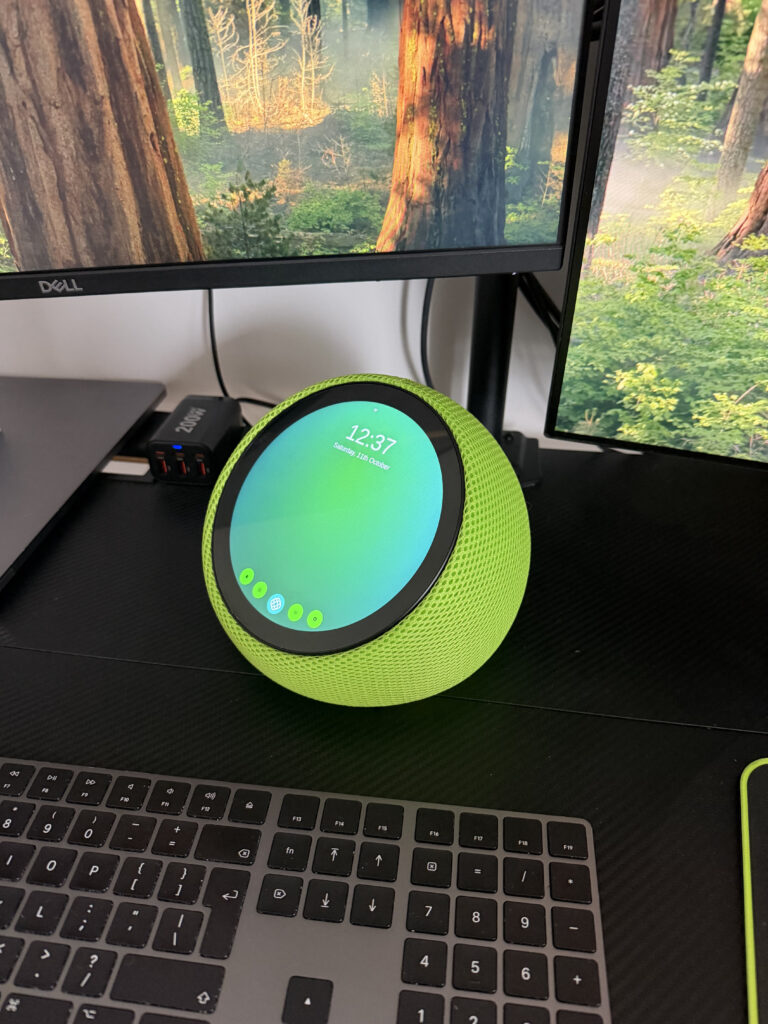
Physically, Eolas looks like something I would want on my desk – whether as a creative professional, developer, or anyone who values both form and function. It’s a truncated sphere wrapped in neon green mesh fabric – bold, modern, and actually helpful for acoustics. The face is a clean circular display, integrated so it feels like part of the surface rather than stuck on. The footprint is compact (roughly 180 mm wide x 180 mm deep x 150 mm tall). It sits flat on a simple base in the same green, with a small, discreet power/reboot button tucked away at the back. The mesh makes it inviting to touch and it subtly hints that there’s audio hardware and smarts under the skin.
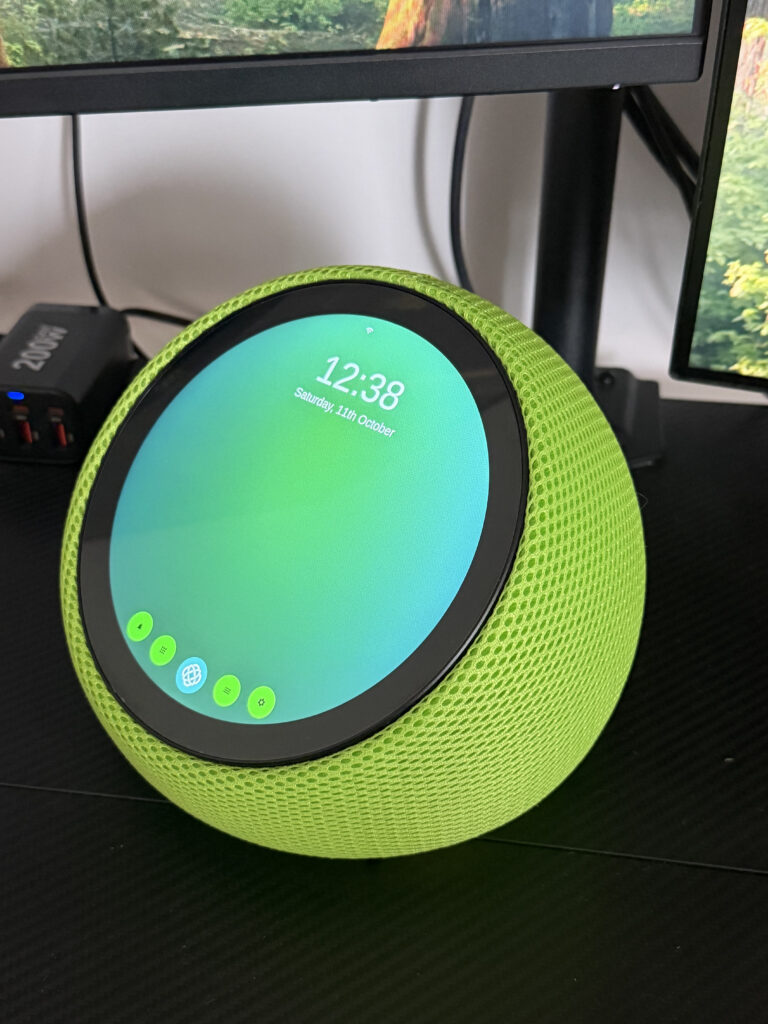
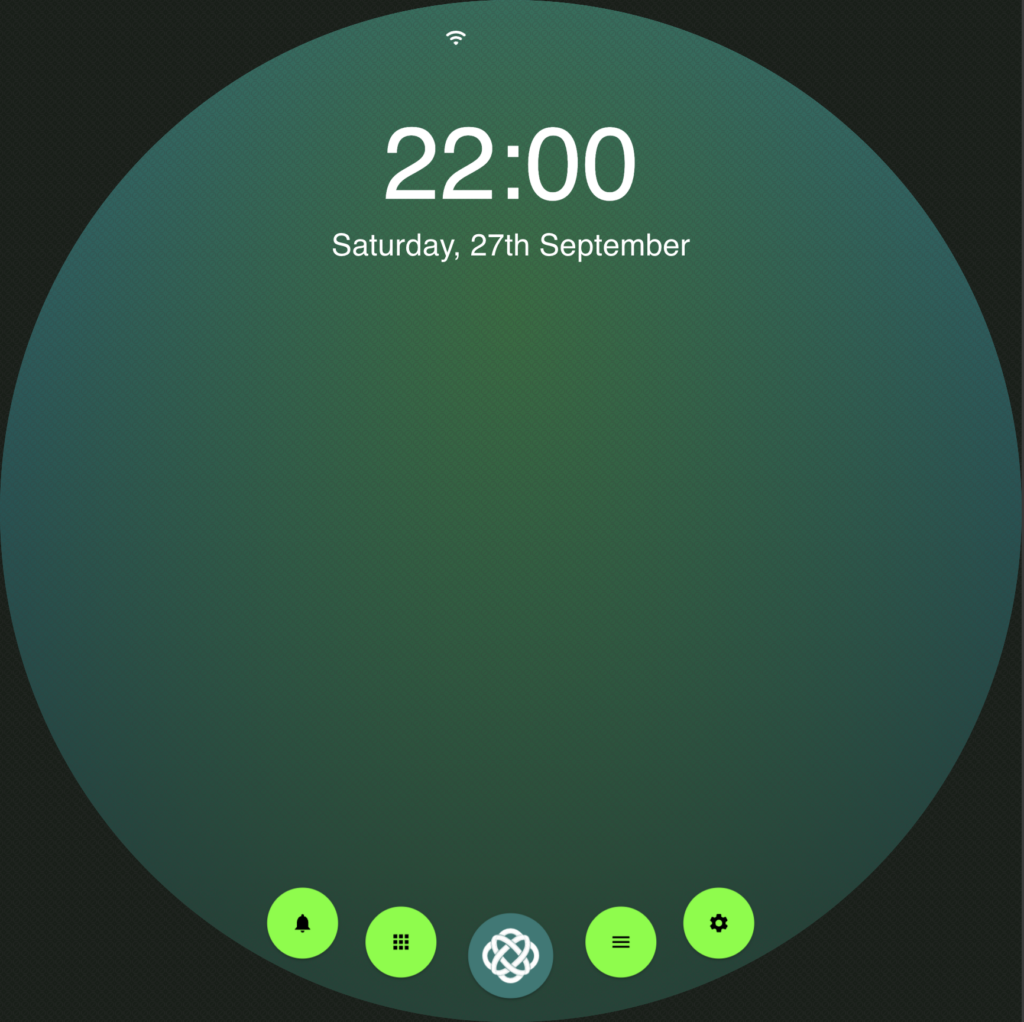
EolasOS is the part I’m most proud of. On boot you get the Eolas logo and “EolasOS,” then the home screen. It’s designed as a unified platform that seamlessly blends voice interaction with visual interfaces, but the screen gives context when it helps. The top has a status bar with Wi‑Fi state; pull it down to get more system info and quick toggles. Below that is the time and date. Along the bottom is a five‑button dock that keeps everything simple:
– Notifications (on the home screen): When you’re inside an app, this becomes a Back button.
– App Gallery: Your apps, arranged for the circular UI.
– The Eolas button (with the logo): Tap to open the main Eolas app – the voice/chat experience.
– Task Manager. Opens a carousel of running apps shown as circular cards; swipe/scroll through, tap to switch, and close an app from its card when needed.
– Settings: From inside an app, this morphs into a Home button so you’re never stuck.
Networking goes deeper than basic connectivity. Eolas can scan for Wi‑Fi networks, connect to new ones, monitor connection status in real time, and display network diagnostics. The internet search integration uses RapidAPI to run deep web searches, fetch and clean content from URLs, and compile research into structured documents. Weather services, location‑based queries, and other external APIs plug in through the same interface so the OS doesn’t have to change every time I add something new.
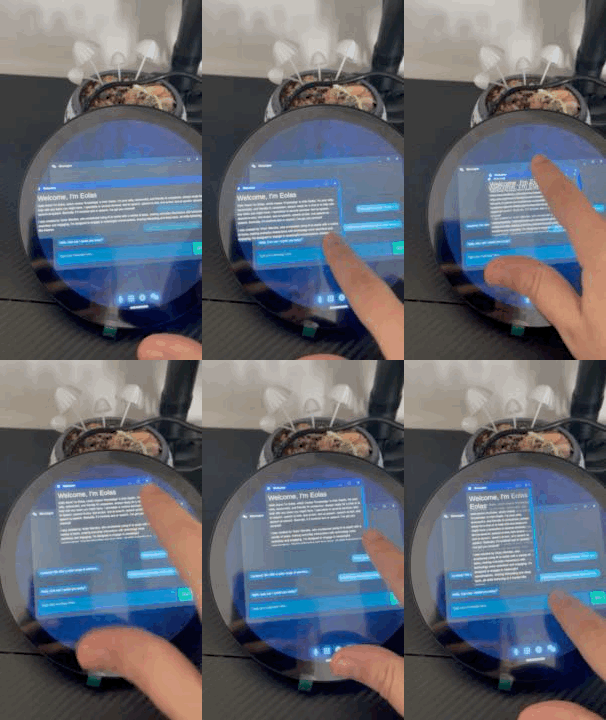
Voice is still the hero. The wake word is the device name “Eolas”. You can also tap the Eolas button to start a session if you don’t want to speak the wake word. Visual feedback is consistent: listening, thinking, and speaking each have their own on‑screen states, and the light language I explored in earlier builds carried over as part of the UI’s animation style. I trained the hotword model on multiple voices saying “Eolas” using a neural approach with reference files, which noticeably improved accuracy and false‑wake resilience. The circular UI shows what it heard as text and renders responses on screen, and there’s an on‑screen button for moments when voice activation isn’t ideal.
Under the hood, the service architecture is what makes it feel like a real platform rather than a demo. The React front end talks to the Python backend via a typed WebSocket protocol. Each capability is exposed as a service – speech, TTS, LLM, device control, network/deepsearch – and apps call these through the SDK instead of rolling their own. Because it’s service‑based, I can add things like device control (ESP32s, smart lights, whatever’s next) as a new module and the UI doesn’t care; it just sees a new service endpoint. A queue system orchestrates concurrent work – multiple voice requests, file conversions, network calls, and device commands – so nothing blocks or starves other tasks. The database tracks conversations, messages, app installs, device configuration, and preferences, with automatic migrations and integrity checks to keep the system consistent.
I also built an SDK and a developer tool right on the device. You can create apps, test them, and build them into .eapp packages that install on any EolasOS device. An .eapp is a zipped web bundle with a manifest – name, version, icon, entry route, and the permissions it needs (mic, network, filesystem, device‑control, etc.). Apps talk to system services through the JS SDK, which wraps the WebSocket API and handles permission prompts and errors. Installation is straightforward: drop in an .eapp, confirm permissions, and it appears in the App Gallery. On top of that, there’s a built‑in code editor with syntax highlighting, hot reload for real‑time testing, and visual manifest editing. The App Store concept works locally – I can browse, install, and manage apps right on the circular interface – and the permission system is granular so apps only get the capabilities they actually need.


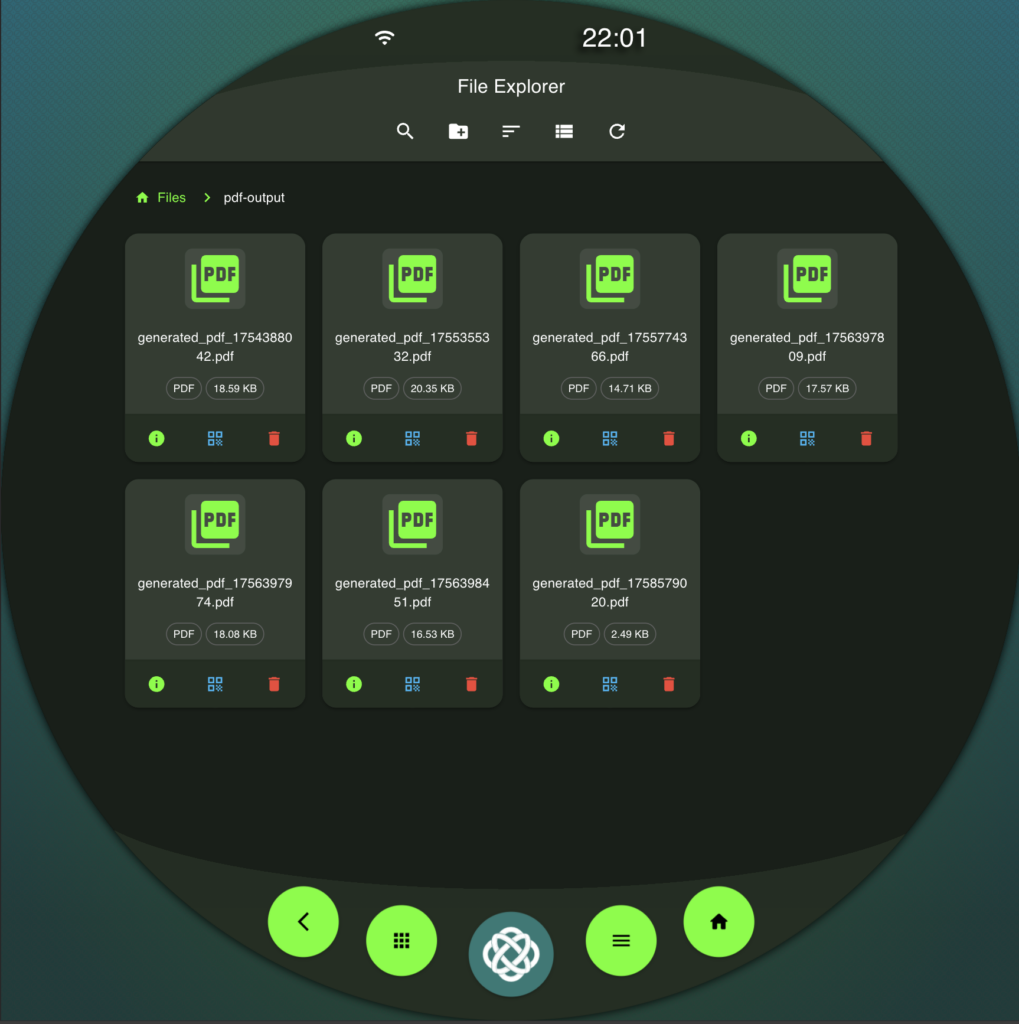
One of my favorite tricks is that Eolas can go online, do a proper deepsearch, and assemble results into something you can actually study. I can ask for a topic, have it research across sources, and then generate a clean PDF that I can read on the device or export. File management is built in with dedicated directories for audio, images, and PDFs, plus a filesystem abstraction so apps don’t need to worry about paths. The PDF system takes HTML and applies category‑specific styling to produce properly formatted documents from raw research.
The system runs deeper than basic voice commands. Conversation management tracks context across sessions, automatically summarizes long threads, and lets me jump between topics seamlessly. I can ask: “show me my conversations about machine learning,” or “switch to that conversation about 3D printing from last week,” and it finds the right thread. There’s even a cron‑style scheduler for background jobs – like generating summaries while I’m not using it – so the system stays tidy on its own.
Eolas speaks multiple languages fluently using neural voice models. Supported languages include English (US/GB), Spanish (ES/MX), French, German, Italian, Portuguese (BR/PT), Dutch (NL/BE), Russian, Chinese, Arabic, Japanese, Korean, Swedish, Norwegian, Danish, Finnish, Polish, Czech, Hungarian, Romanian, Turkish, Ukrainian, Greek, Catalan, Welsh, Serbian, Swahili, Vietnamese, Kazakh, Georgian, Icelandic, Nepali, and Luxembourgish. Each language uses an optimized voice model for natural‑sounding speech.
What I’ve learned along the way: power and audio matter more than you think, speakers have personality, and 3D modeling is addictive once you realize you can shape exactly what you want. The rewritten software (Python + WebSocket + services) was the right call – it made external device control possible and future‑proofed the platform. The circular UI forced good constraints: full‑screen apps, a simple dock, a pull‑down status bar, and a carousel task switcher that keeps state when you hop around. And the developer tools – .eapps, permissions, a stable SDK – means I’m not just building one gadget, I’m building something I can extend.
There’s still a lot I want to do: more services, smarter device control, tighter animations, and continued refinements to the body. I’ve already tested a beefier 10W speaker (up from the current 6W) and a USB‑C connector for power with a removable cable; both upgrades worked well, but once Eolas looked and behaved the way I wanted, I paused the hardware changes to focus on EolasOS.
Looking ahead, I’m focused on continuous improvement and growing the ecosystem. The next big push is the EolasDevice – a family of hardware devices designed to be fully compatible with EolasOS. I already have the first device built and I’ll be sharing it very soon. This is a side project, so progress happens in focused bursts when I can carve out the time, but it’s moving in the right direction and I want to keep it that way. I’m also considering making Eolas open source once I’m happy with how it looks and works. Below you can check out images and videos of Eolas.